Tutorial 3: Combining World and Dungeon
In this advanced tutorial, we will use the Dungeon Generator node to "inject" a structured dungeon into a procedurally generated world.
The Goal
We want a large organic world (like a forest or cave) that contains several structured dungeons (like ancient ruins) tucked away inside it.
Step 1: Set Up the Base World
Start with a graph similar to the one created in Tutorial 1.
- Open your
CaveGraph.
Step 2: Pick Dungeon Locations
We need to decide where the dungeons should go.
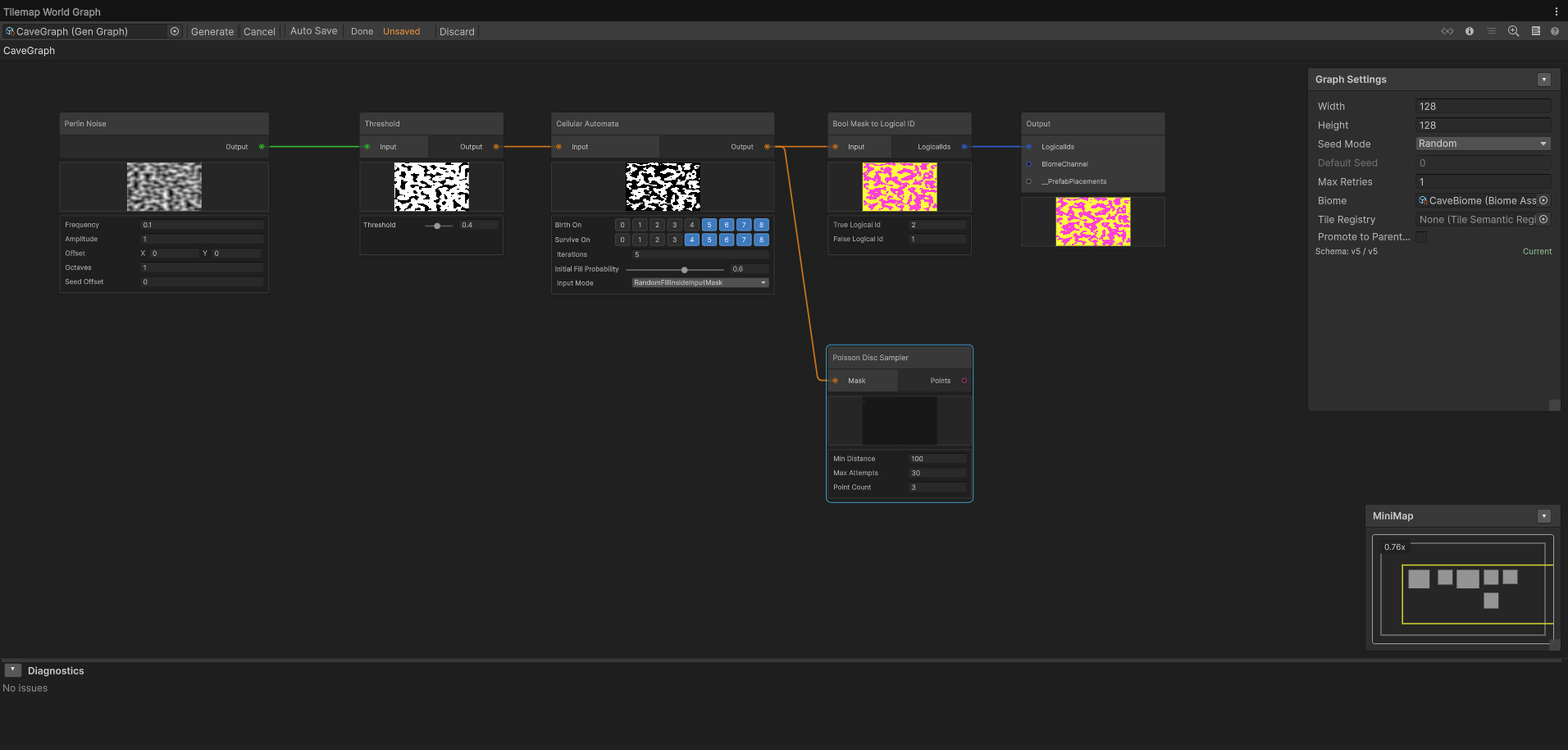
- Add a Poisson Disc Sampler node.
- Adjust the
Minimum Distanceso you don't have too many dungeons too close together. - This node will output a Point List.
Step 3: Add the Dungeon Generator Node
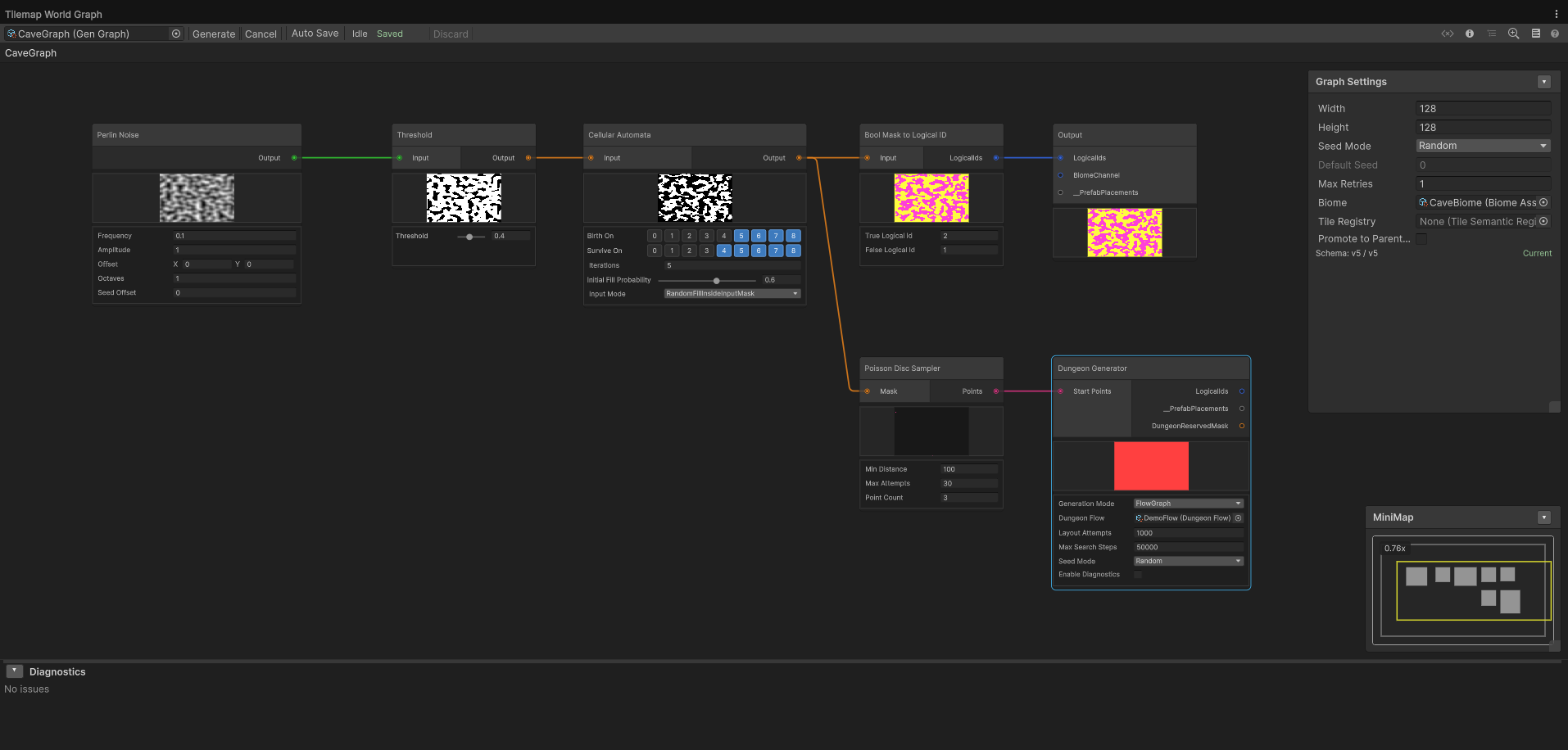
- Add a Dungeon Generator node.
- Connect the Poisson Disc Sampler's

Pointsoutput to the Dungeon Generator's Pointsinput. - In the node inspector:
- Assign your
SimpleDungeonFlow(from Tutorial 2). - Tweak the generation parameters to your liking.
- Assign your
Step 4: Final Output
Now we merge the dungeon's footprint and prefabs into the final world output.
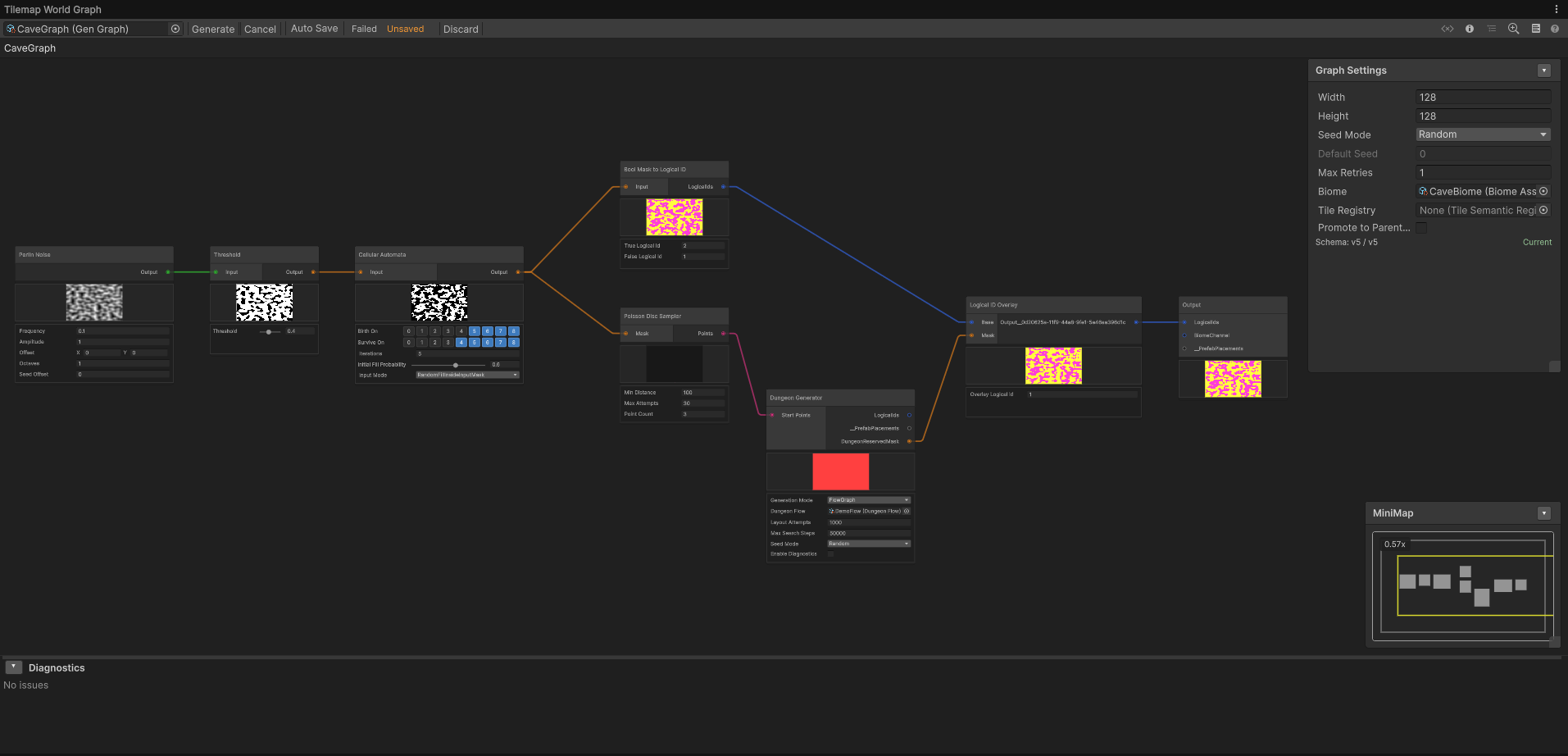
- Merge Logical IDs:
- Add a Logical ID Overlay node.
- Connect your world's
 Logical ID channel from Bool Mask to Logical ID node to the Base port.
 - Connect the
 Reserved Mask from the Dungeon Generator to the Mask port.
 - Set the Overlay Logical ID parameter to
0(Void) or1(Floor). This ensures the world's tiles don't overwrite the space where your dungeon rooms are.
- Connect Placements: Connect the
 Placements output of the Dungeon Generator node to the Output node's Prefab Placements port.
 - Generate: Click Generate on your scene's
WorldGeneratorobject.
Result
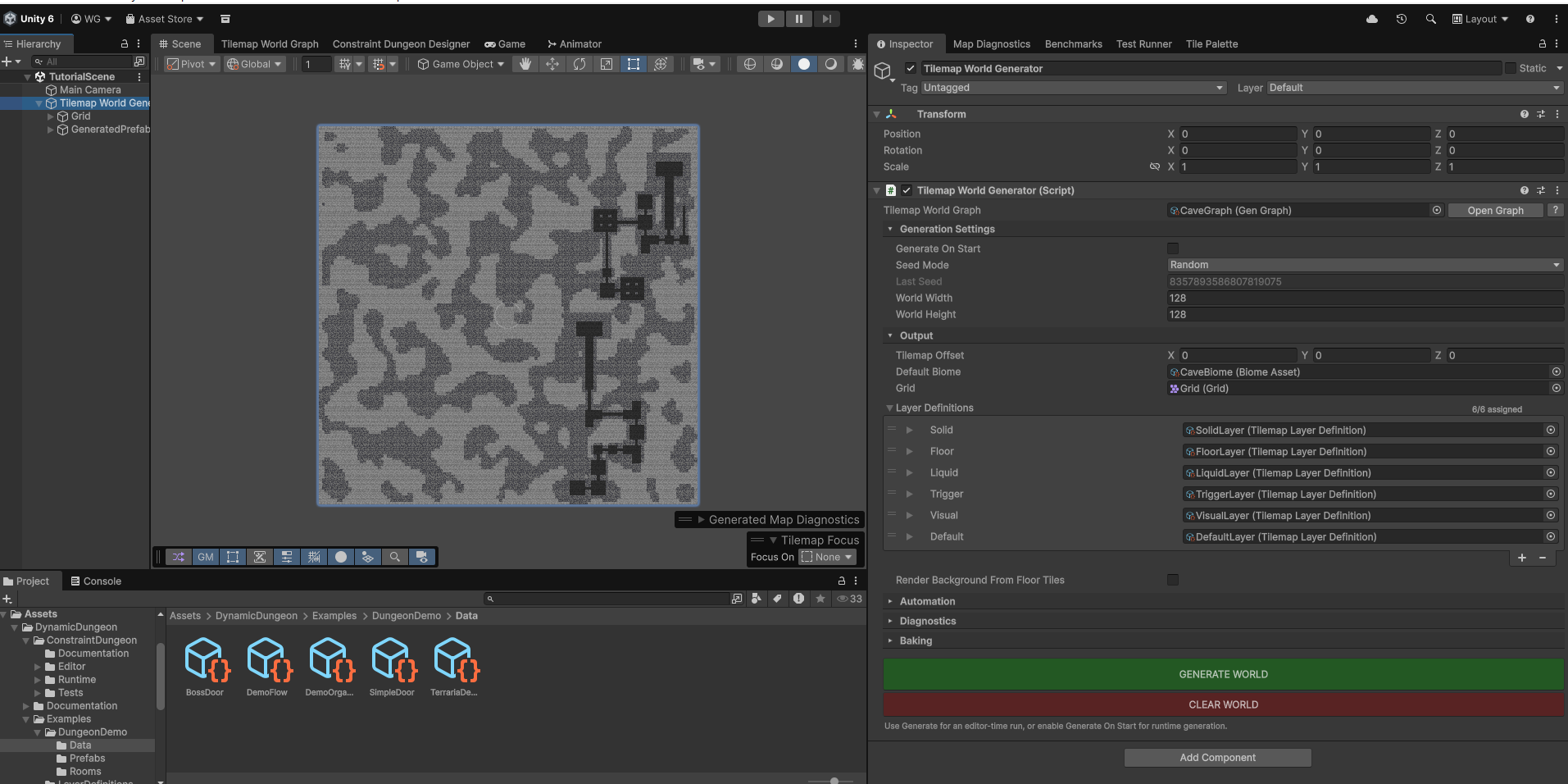
You should now see a vast procedural landscape with perfectly integrated, hand-crafted dungeons spawned at semi-random intervals!