Tutorial 4: Validating Your World with Diagnostics
In this tutorial, you will learn how to use the Map Diagnostics tool to ensure your generated caves or dungeons are actually traversable by a player.
The Scenario
You have generated a cave system using Tutorial 1, but you want to be 100% sure that the player can walk from the entrance to the exit without getting stuck behind a wall of procedural noise.
Step 1: Open the Tool
- Generate your world in the scene.
- Go to Window > Dynamic Dungeon > Map Diagnostics.
- Click Add Selected to link your
WorldGeneratorobject to the tool.
Step 2: Define "Walkable"
We need to tell the tool which tiles are solid.
- In the Walkability Rules section, enable Auto-Block Collider Tilemaps.
- If your walls don't have colliders yet, enable Use Tilemap Layer Rules:
- Add your
Wallslayer. - Set the mode to Block Any.
- Add your
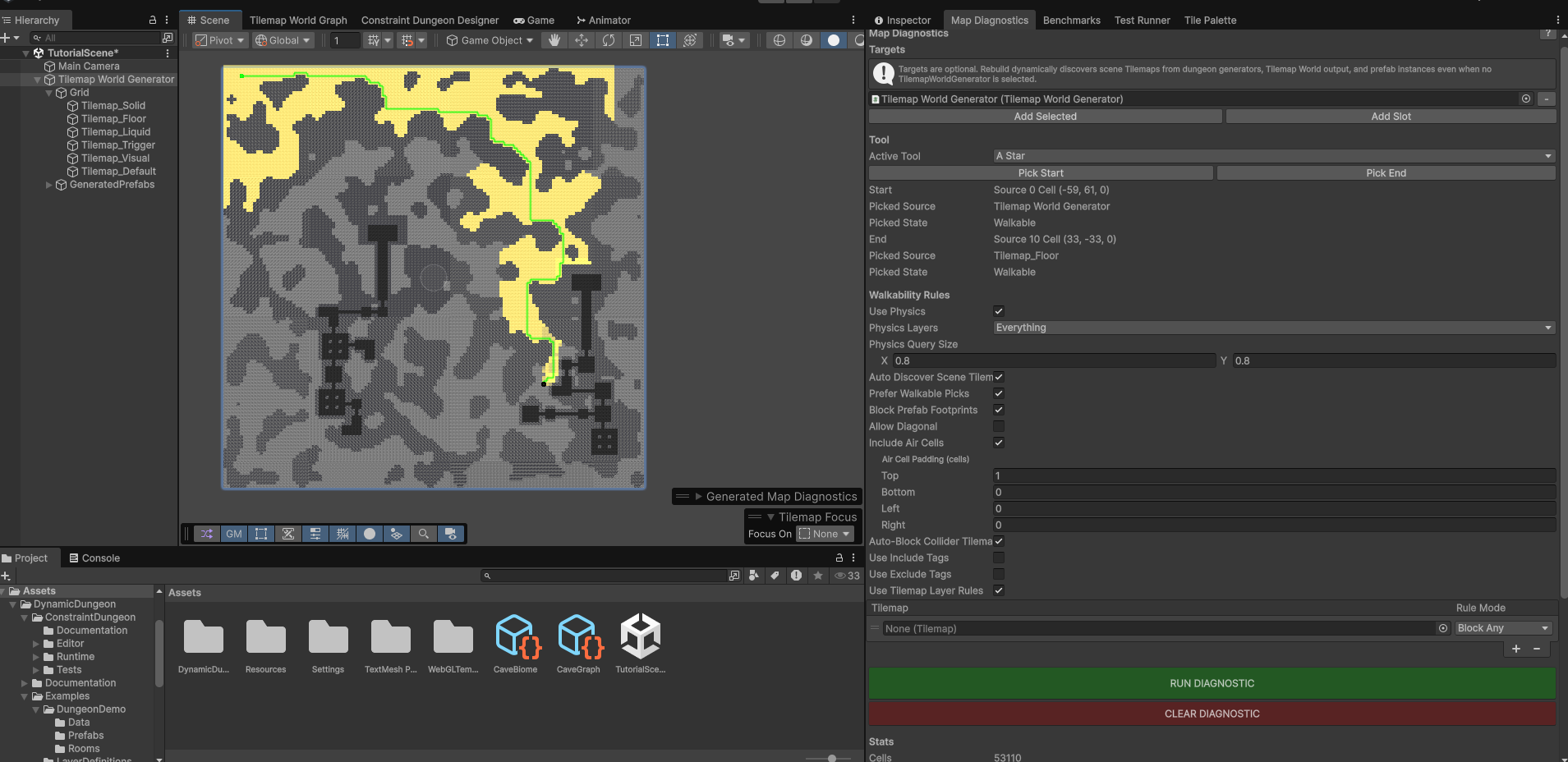
Step 3: Test a Path (A*)
- Set the Active Tool to
AStar. - Click the Pick Start button. In the Scene View, click on the floor where the player starts.
- Click the Pick End button. Click on the floor where the exit should be.
- Click RUN DIAGNOSTIC.
Interpreting the Result
- If a Green Line appears, the path is valid!
- If the console says "Path Not Found", your generation logic has created a blocked path. You may need to adjust your noise threshold or cellular automata iterations.
Step 4: Check for Islands (Flood Fill)
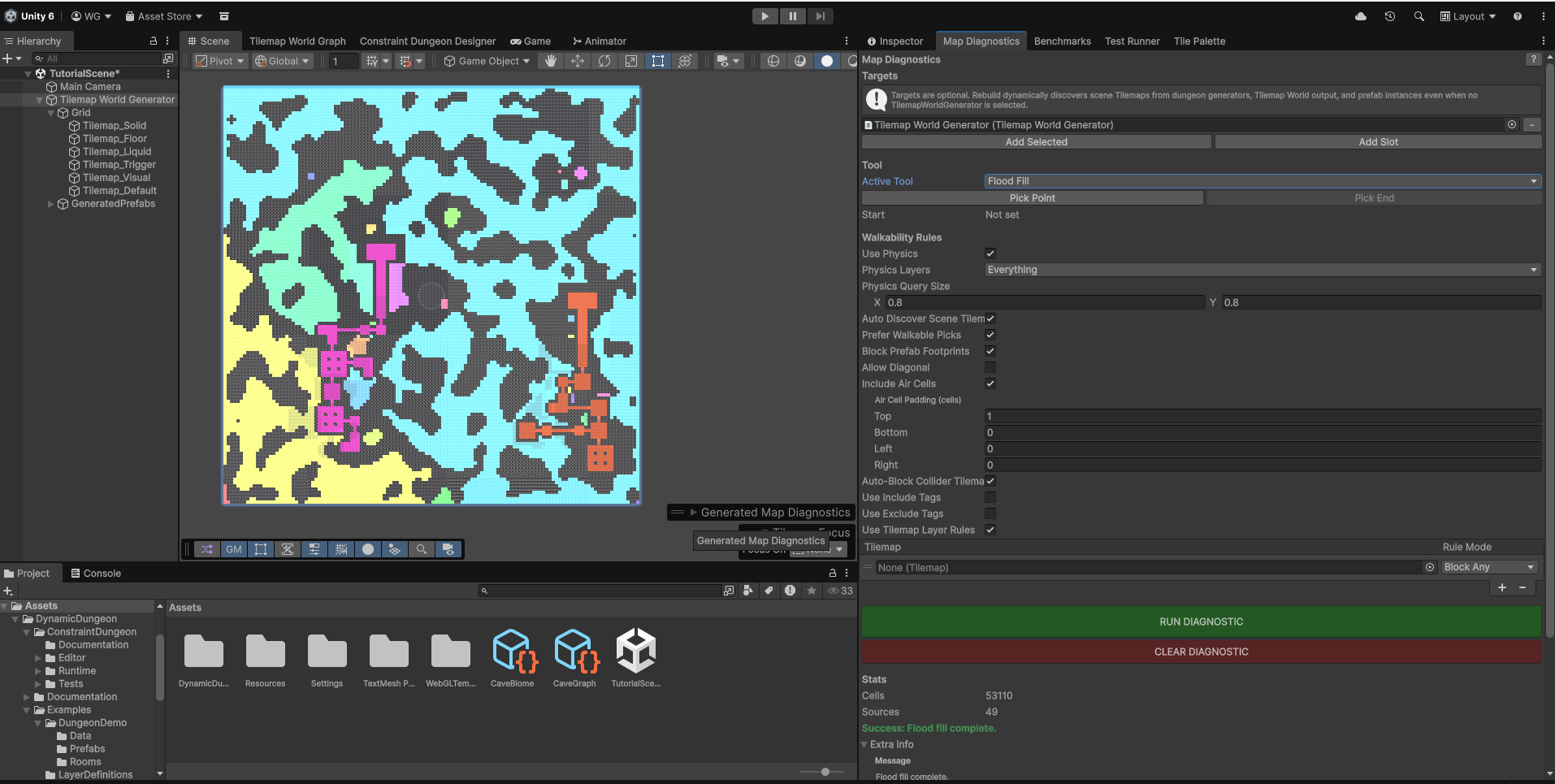
Isolated islands are areas the player can see but never reach.
- Change the Active Tool to
Flood Fill. - Ensure your Start point is in the main playable area.
- Click RUN DIAGNOSTIC.
- A heatmap will appear. Any area that remains grey/uncoloured is unreachable.
Step 5: Distance Analysis (BFS)
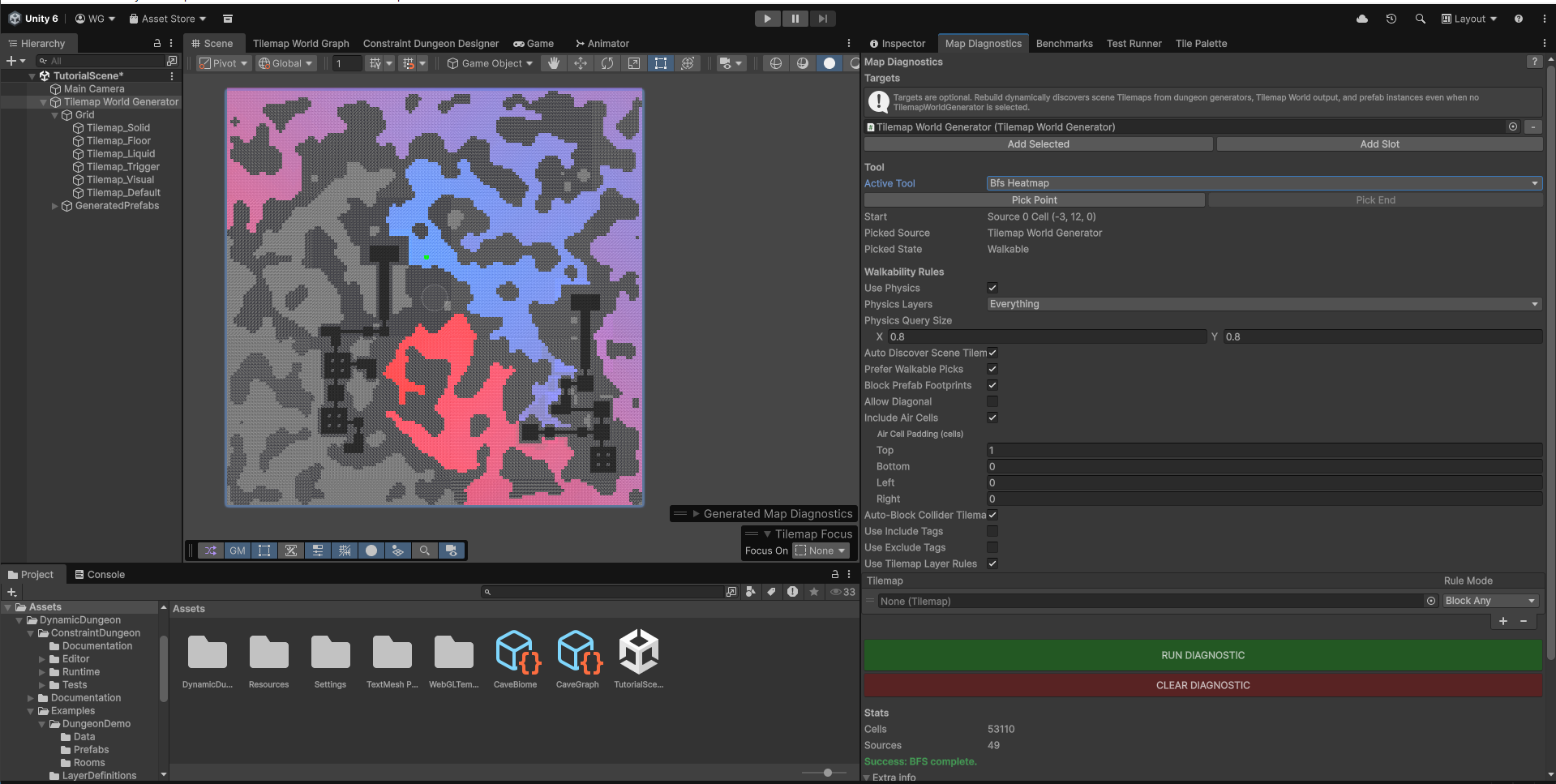
The BFS tool allows you to visualise the "depth" of your map and confirm reachability from a specific point.
- Change the Active Tool to
Bfs Heatmap. - Ensure your Start point is set.
- Click RUN DIAGNOSTIC.
- A colour gradient will appear:
- Blue/Cyan: Cells very close to the start.
- Yellow/Red: Cells far away (high travel cost).
- Grey: Completely unreachable.
This is excellent for checking if your "Exit" is actually a challenging distance away from the "Spawn" point.
Optimisation Tip
If your generation is large (e.g., 500x500), diagnostics can take a few seconds.
- Enable Use Physics for faster checks if you have a
CompositeCollider2Don your tilemap. - The grid is cached; you only need to click Force Rebuild Grid if you manually paint tiles or change the world dimensions.